Free Tools Every Work-from-Home Copywriter Needs
When I started copywriting from home, I thought I needed to spend money to look professional. A fancy invoicing app. A premium grammar tool. A paid project management system.
But I was wrong.
Most of the tools I use every day are completely free. And honestly, they work better than some paid tools I’ve tried.
If you’re just starting out, this list will save you a lot of time searching. These are the free tools that actually make a difference when you’re working from home as a copywriter.
Writing Tools
Google Docs
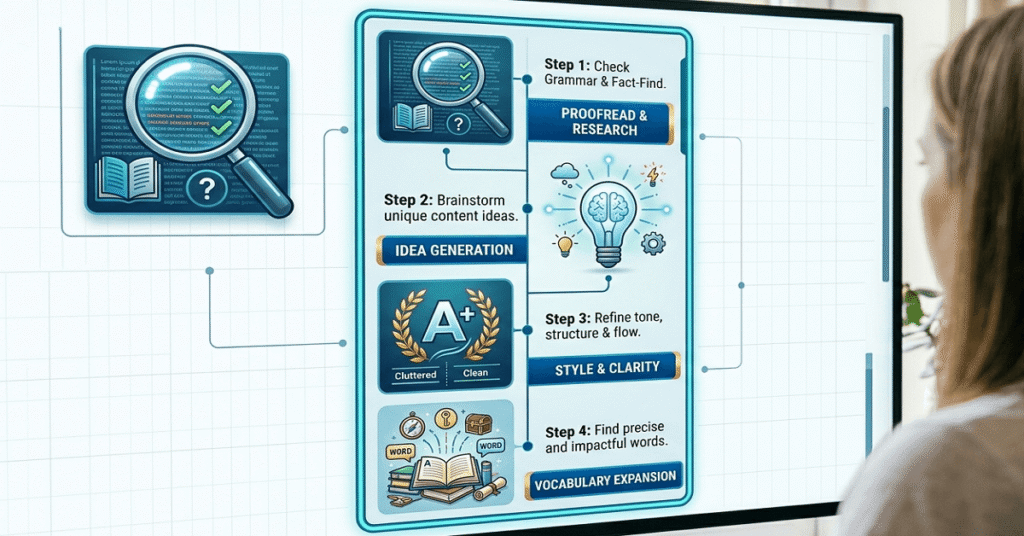
This is where most of my work happens. Google Docs is free, works in any browser, and saves everything automatically. No more losing work because you forgot to hit save.
The best part? You can share a document with a client and they can leave comments directly on your draft. No emails going back and forth with attachments. It makes revision rounds so much smoother. Best for: Writing drafts, sharing work with clients, collecting feedback.Hemingway Editor
Hemingway Editor is a free web tool that checks your writing for readability. Paste your text in and it highlights sentences that are too long, words that are too complicated, and phrases you can simplify.
It’s especially useful when you’re writing content that needs to be easy to read (like blog posts or website copy). The goal is to keep your writing at a reading level most people can follow without effort.
Best for: Checking readability, simplifying complex sentences, tightening your writing.
Grammarly (Free Version)
The free version of Grammarly catches grammar mistakes, spelling errors, and punctuation issues in real time. It works inside Google Docs, Gmail, and most browsers as an extension.
It’s not perfect; no tool is. But it catches the kinds of small errors that are easy to miss when you’ve been staring at your own writing for too long.
Best for: Catching grammar and spelling mistakes before sending work to a client.
Invoicing and Payments
Wave
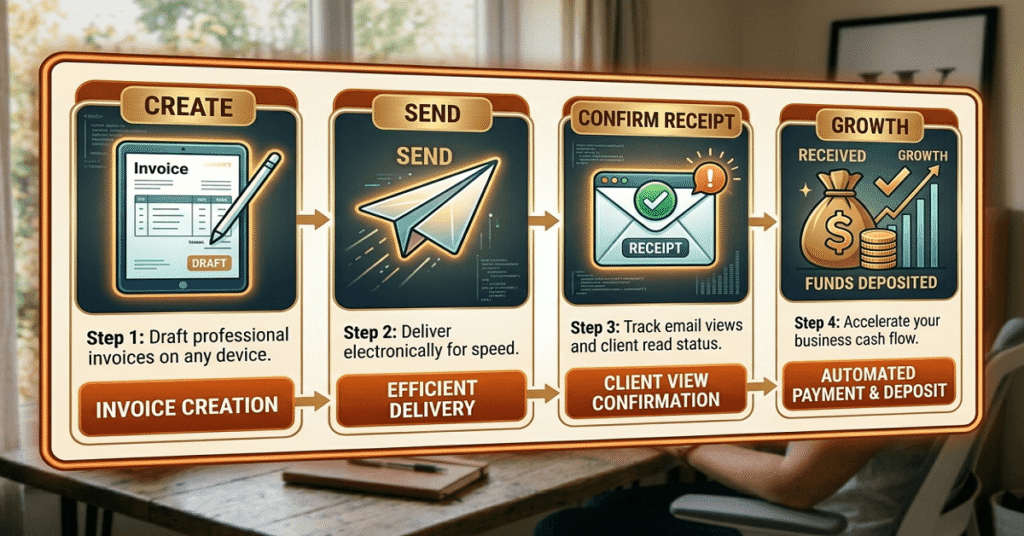
Wave is a completely free invoicing and accounting tool built for freelancers. You can create professional-looking invoices, send them to clients, and track who has paid and who hasn’t.
When I sent my first invoice, I used a Word doc. It looked terrible. Switching to Wave made me look a lot more professional overnight and it didn’t cost anything.
Best for: Creating and sending invoices, tracking payments, basic bookkeeping.
PayPal (Free to Send Invoices)
PayPal is one of the most widely accepted payment methods among freelance clients (especially international ones). Creating and sending invoices is free. The fee only kicks in when you actually receive a payment.
If your client is outside your country, PayPal is often the simplest solution.
Best for: Receiving payments from clients, especially international ones.
Pricing Your Work
Mille Pricing Calculator (AccelerateDigitally)
This one is close to home because it’s ours. The Mille calculator is a free tool built specifically for beginner copywriters who aren’t sure what to charge.
You enter your experience level, the type of project, how much research is involved, and how fast the turnaround needs to be. It gives you a suggested rate based on real industry standards.
No sign-up. No cost. Just a clear starting point so you don’t have to guess.
Best for: Figuring out what to charge for any copywriting project.
Time Tracking
Toggl Track (Free Plan)
Toggl Track is a simple time tracker. You hit start when you begin working on a project and stop when you’re done. It logs everything automatically.
This is more useful than it sounds. Once you start tracking your time, you’ll quickly see which projects actually pay well per hour and which ones eat up way more time than they’re worth.
Best for: Tracking time per project, understanding your real hourly rate, billing hourly clients.
Client Communication
Gmail
Gmail is still the gold standard for professional email. It’s free, reliable, and integrates with everything else in this list (especially Google Docs).
Set up a Gmail address with your name or brand (like yourname@gmail.com or hello@yourbrand.com) to keep your freelance communication separate from personal emails. It looks more professional and keeps things organized.
Best for: Client emails, project communication, keeping your freelance work organized.
Calendly (Free Plan)
Scheduling back-and-forth emails are a time drain. “Are you free Tuesday?” “I can’t Tuesday, what about Thursday?” It goes on forever.
Calendly solves this. You set your available times, share your link, and clients book directly into your calendar. The free plan covers everything most beginner copywriters need.
Best for: Scheduling discovery calls, client check-ins, and onboarding meetings.
Organization and File Management
Google Drive
Google Drive gives you 15GB of free cloud storage. Store your client files, writing drafts, contracts, and invoices all in one place accessible from any device.
I organize mine with a simple folder system: one folder per client, with subfolders for drafts, final files, and contracts. It takes 10 minutes to set up and saves a lot of searching later.
Best for: Storing and organizing client files, sharing documents, backing up your work.
Trello (Free Plan)
Trello is a visual project management tool. You create boards with cards that you move from column to column like “To Do,” “In Progress,” and “Done.”
It sounds simple, but when you have three or four clients at once, having a visual overview of where every project stands is really helpful. The free plan gives you unlimited cards and up to 10 boards.
Best for: Tracking multiple projects, managing deadlines, staying organized when you have several clients.
Design (For When You Need It)
Canva (Free Plan)
As a copywriter, design isn’t your main job. But there are times you might need to create a simple media kit, a PDF proposal, or a portfolio page. Canva makes this easy even if you have zero design skills.
The free plan has hundreds of templates for exactly these kinds of things. Pick a template, swap in your text, download it. Done!
Best for: Creating a media kit, PDF proposals, portfolio pages, or simple social graphics.
A Quick Summary
Tool | What It Does | Best For |
|---|---|---|
Google Docs | Writing and sharing drafts | All copywriters |
Hemingway Editor | Readability checker | Blog and web copy |
Grammarly (free) | Grammar and spelling | All copywriters |
Wave | Invoicing and bookkeeping | Getting paid |
PayPal | Receiving payments | International clients |
Mille Calculator | Pricing your work | Beginner copywriters |
Toggl Track | Time tracking | Hourly projects |
Gmail | Professional email | Client communication |
Calendly | Scheduling calls | Discovery calls |
Google Drive | File storage | Organizing client work |
Trello | Project management | Multiple clients |
Canva | Simple design | Media kits, proposals |
Frequently Asked Questions About Tools for Copywriters
To start, you really only need four things: a writing tool (Google Docs), a grammar checker (Grammarly free), an invoicing tool (Wave), and a way to receive payments (PayPal). Everything else on this list makes your work life easier but isn’t required on day one.
Is the free version of Grammarly good enough for copywriters?
Yes, for most beginner copywriters the free version is enough. It catches grammar mistakes, spelling errors, and basic punctuation issues in real time. The paid version adds tone suggestions and style improvements, but those are not essential when you’re starting out.
Do I need a paid invoicing tool as a freelance copywriter?
No. Wave is completely free and gives you everything a beginner copywriter needs like – professional invoices, payment tracking, and basic bookkeeping. You only need to consider paid tools if your business grows significantly and you need advanced accounting features.
How do I track my time as a freelance copywriter?
Toggl Track is the simplest free option. Start a timer when you begin a project and stop it when you’re done. Over time, this data shows you which types of projects pay best per hour which helps you make smarter decisions about what work to take on.
What is the Mille Pricing Calculator?
The Mille Pricing Calculator is a free tool on AccelerateDigitally built specifically for beginner copywriters. You enter your experience level, project type, research requirements, and turnaround time, and it gives you a suggested rate based on real industry standards. No sign-up required.
Do copywriters need design tools like Canva?
Not for most projects. But Canva is useful when you need to create a media kit, a PDF proposal, or a simple portfolio page to show clients. The free plan has all the templates you need for this, and you don’t need any design experience to use it.
Is Google Docs good enough for professional copywriting work?
Yes. Google Docs is used by professional copywriters at every level. It’s free, saves automatically, works on any device, and makes client collaboration easy through shared documents and comments. There’s no need to pay for Microsoft Word when you’re starting out.
The Bottom Line
You don’t need to spend money to work like a professional.
These free tools cover everything such as – writing, editing, invoicing, time tracking, communication, and organization. Start with the ones that solve your biggest pain point right now, and add the others as your workload grows.
The goal is to spend more time writing and less time managing everything around it. These tools help you do exactly that.
Not sure what to charge your clients? Try the free Mille pricing calculator – it takes less than a minute and gives you a fair starting rate based on your experience and project type.